How to Get Started with Technologo Instant (For Internet Explorer users)
Download and Run the Setup Application
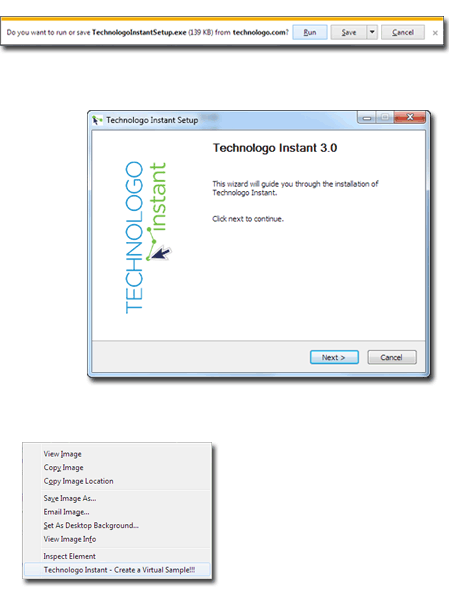
After clicking the download button, you will be asked if you want to run or save the file. Select "Run". The program will download and start.
Follow the Setup Wizard
When the application starts, follow the instructions on screen. You will be asked to enter your Access Key which can be found in an e-mail sent to the address you specified during registration.
Restart Your Browser, Right click on an Image
Once the program is successfully installed, close all browser windows that you have open and then open a new window. Find the image you want to make a virtual sample of, right click on it, and select "Technologo Instant - Create a Virtual Sample".